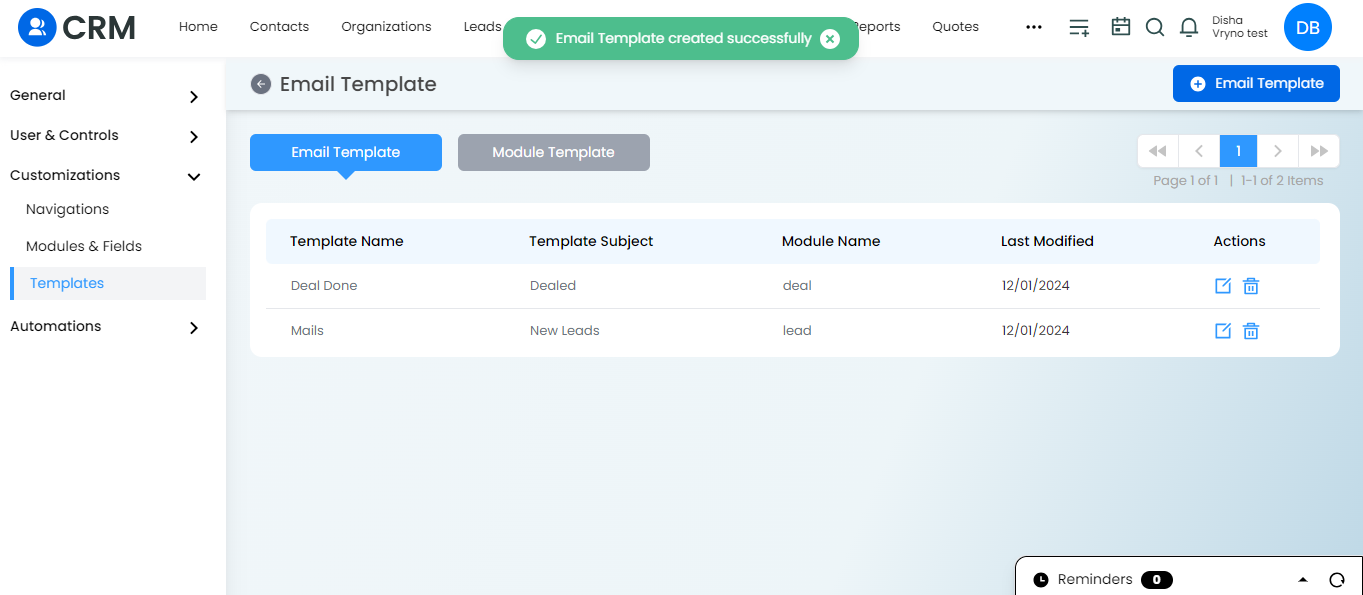
Steps to Create an Action for Workflow:
1. Access Actions under Automations: Navigate to the “Actions” section under the Automations menu.
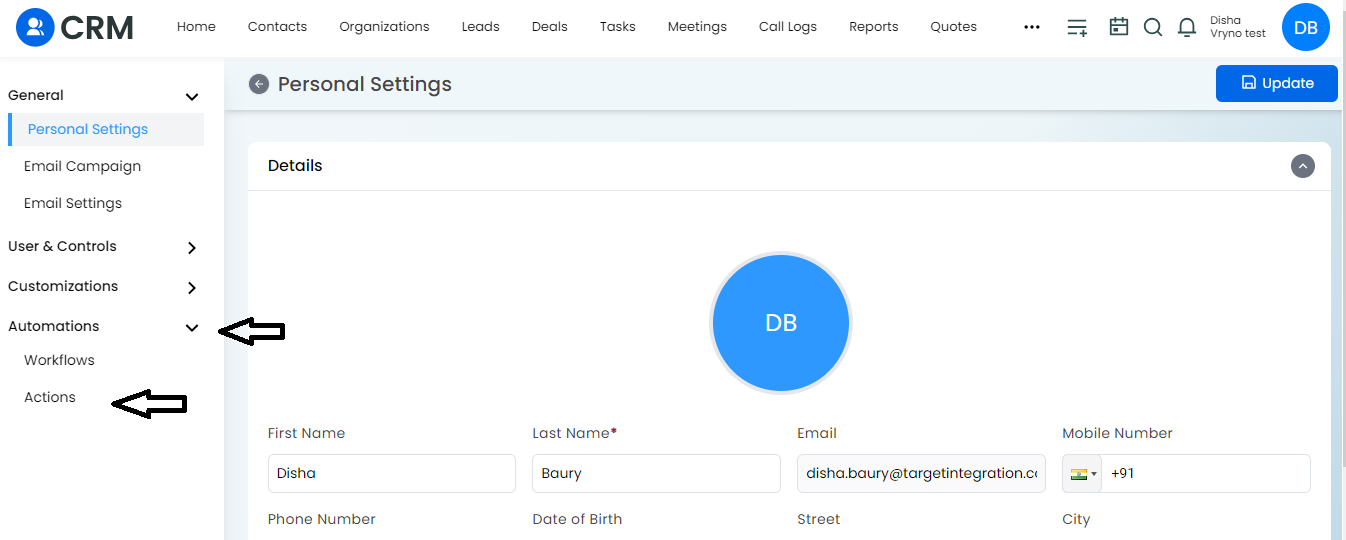
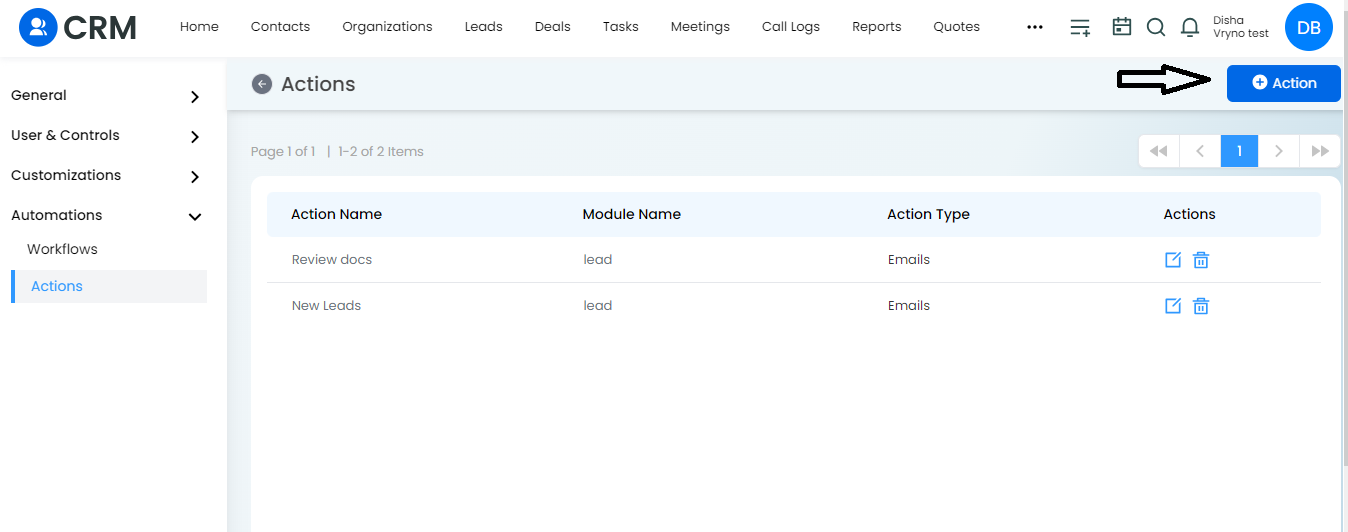
2. Create a New Action: Click on “+Action” to initiate the creation of a new action.
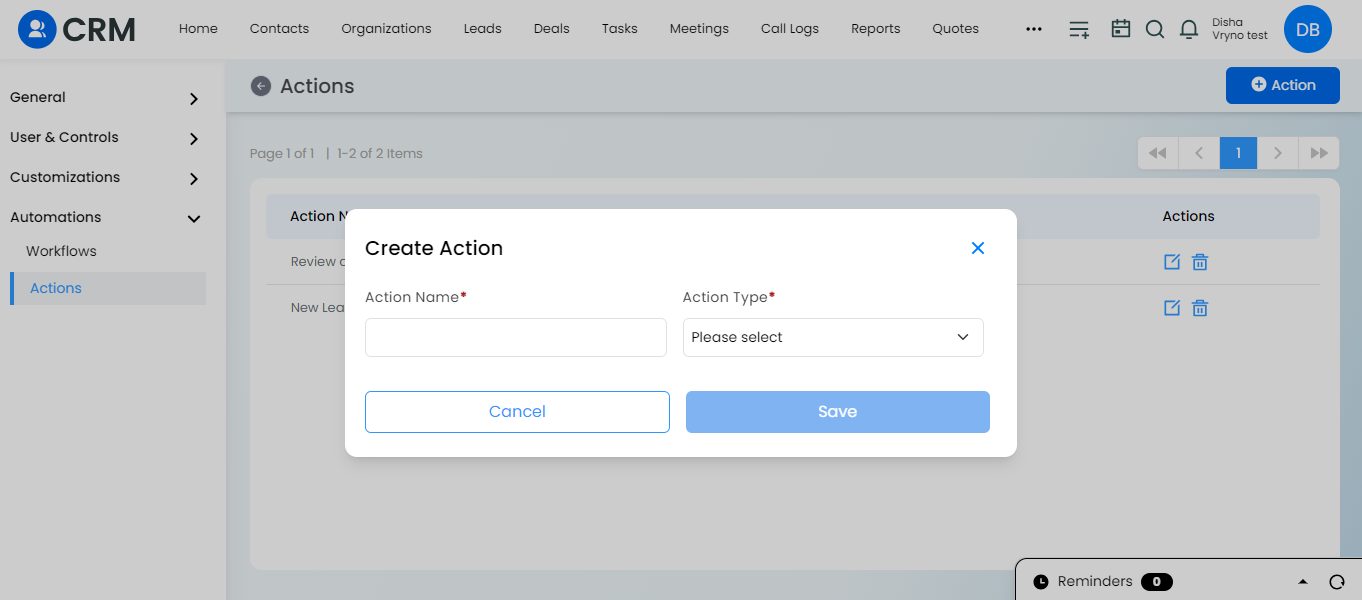
3. Provide Relevant Details: Enter the necessary details for the action, such as name and description.
4. Define Action Steps: Specify the steps or tasks that the action should perform.
5. Configure Action Settings: Adjust any settings or parameters for the action based on your workflow requirements.
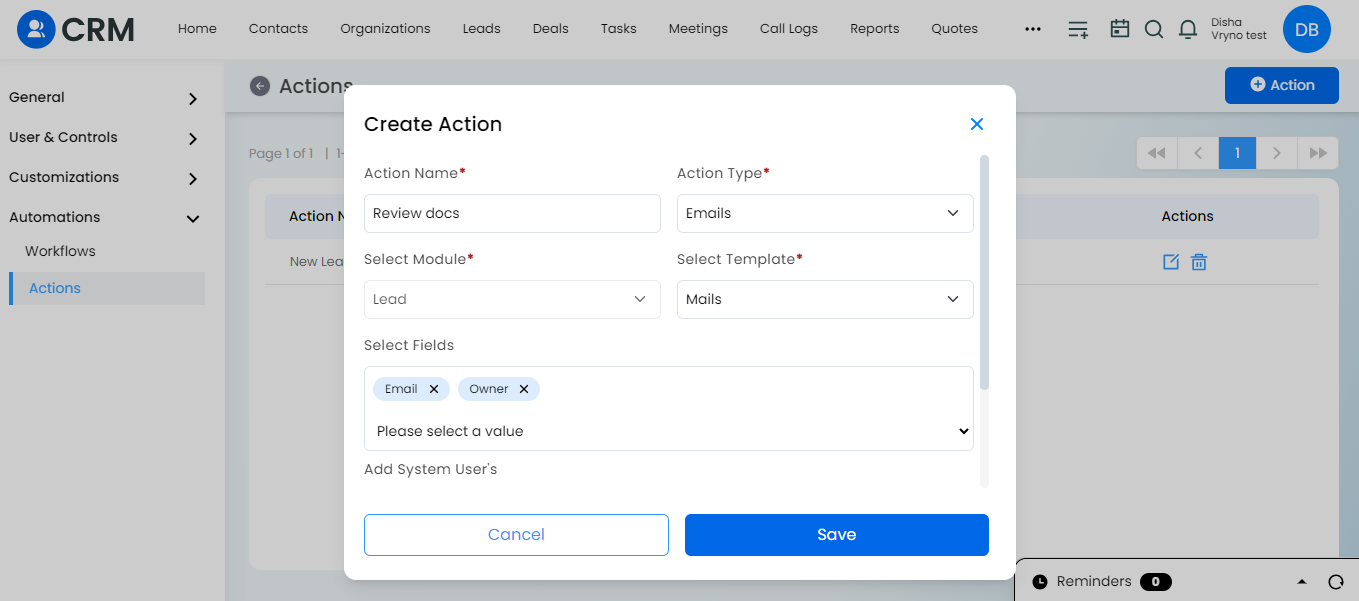
6. Save the Action: Click on “Save” to save the newly created action.
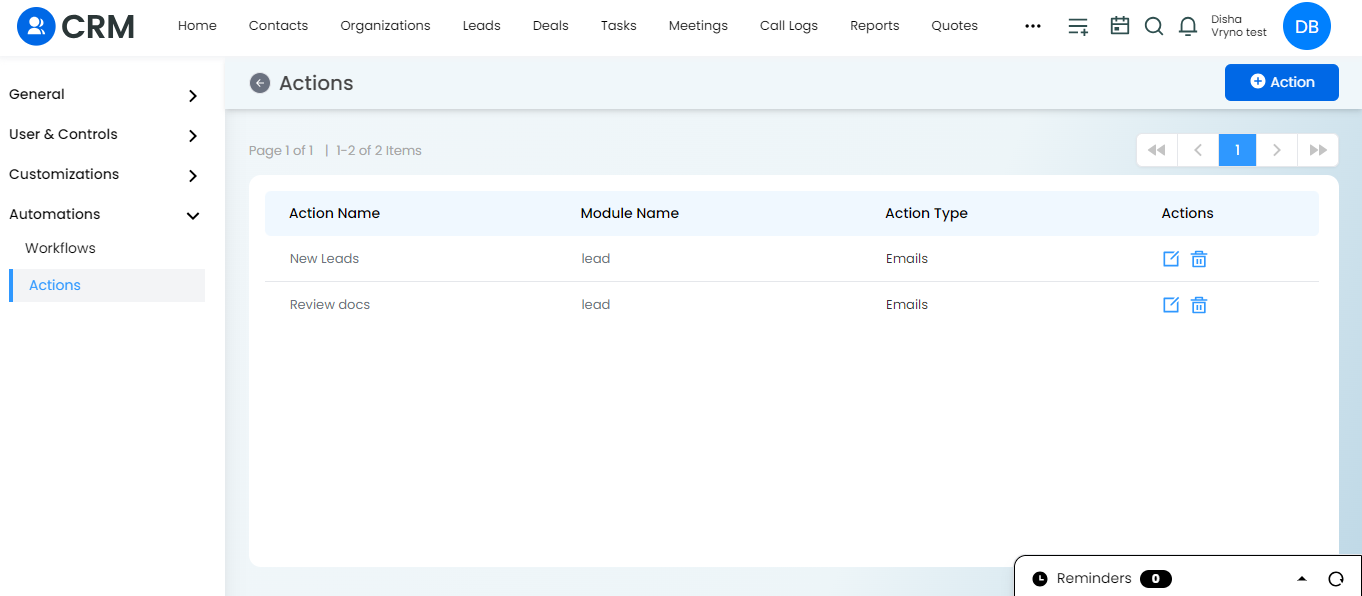
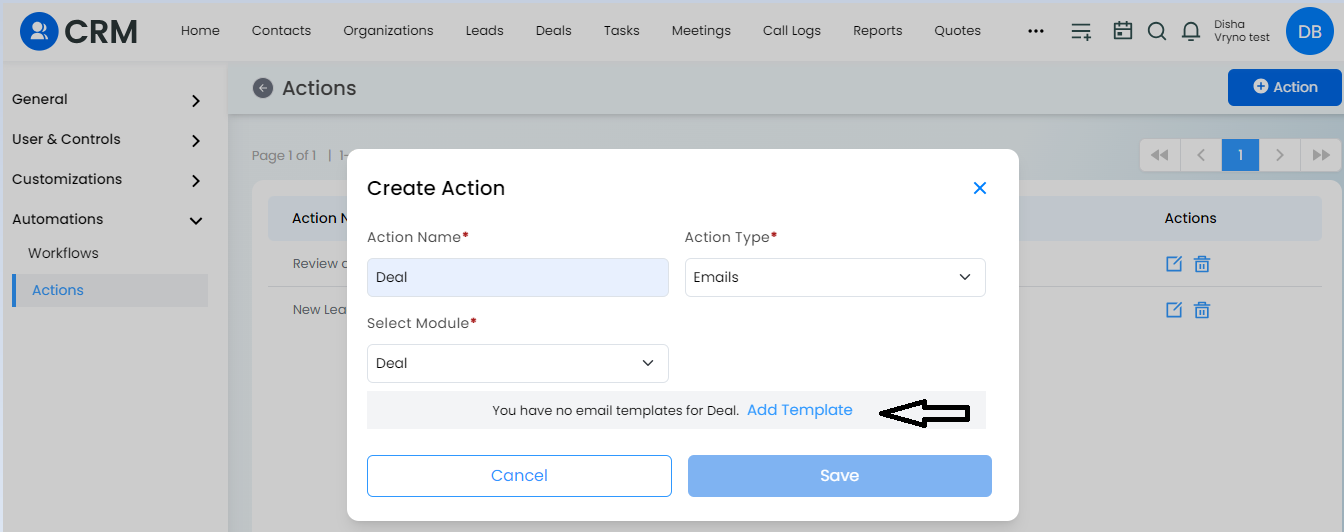
If there is no template for an Action to be created follow the below steps:
1. Click on Add Template as shown below
2. Choose the Module Name, Template Name , Template Subject and other fields for the Email template according to your need.
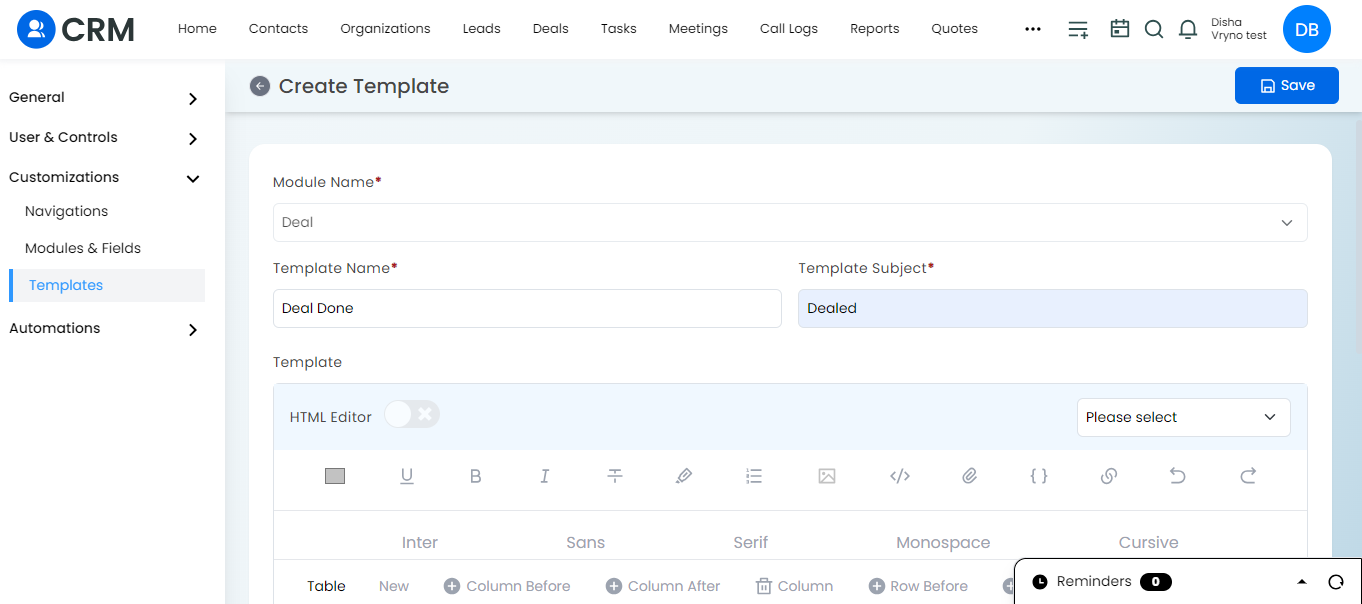
3. Click on Save.