
Steps to Resize Widgets in the Dashboard of Vryno CRM:
1. Login to Vryno CRM: Access Vryno CRM using your User ID and Password.
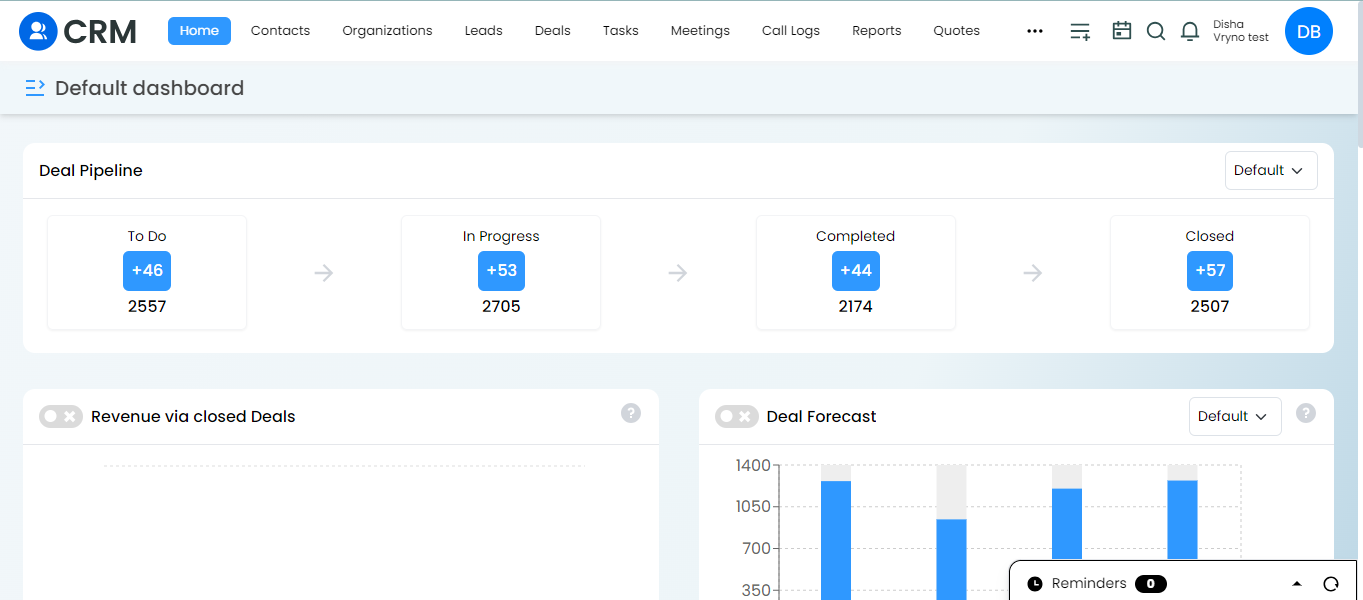
2.Explore Dashboard Widgets: Upon login, explore the dashboard where various widgets are displayed.
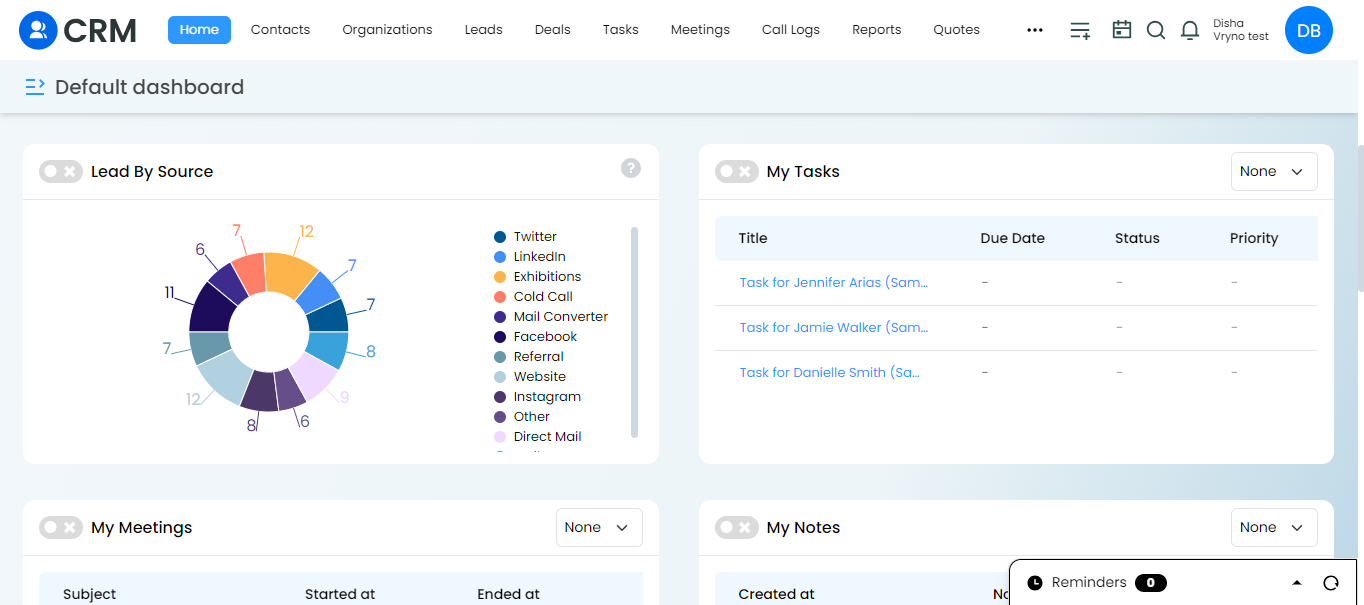
3.Inspect Widgets: If you wish to examine a specific widget more closely, locate the toggle icon next to that particular widget.
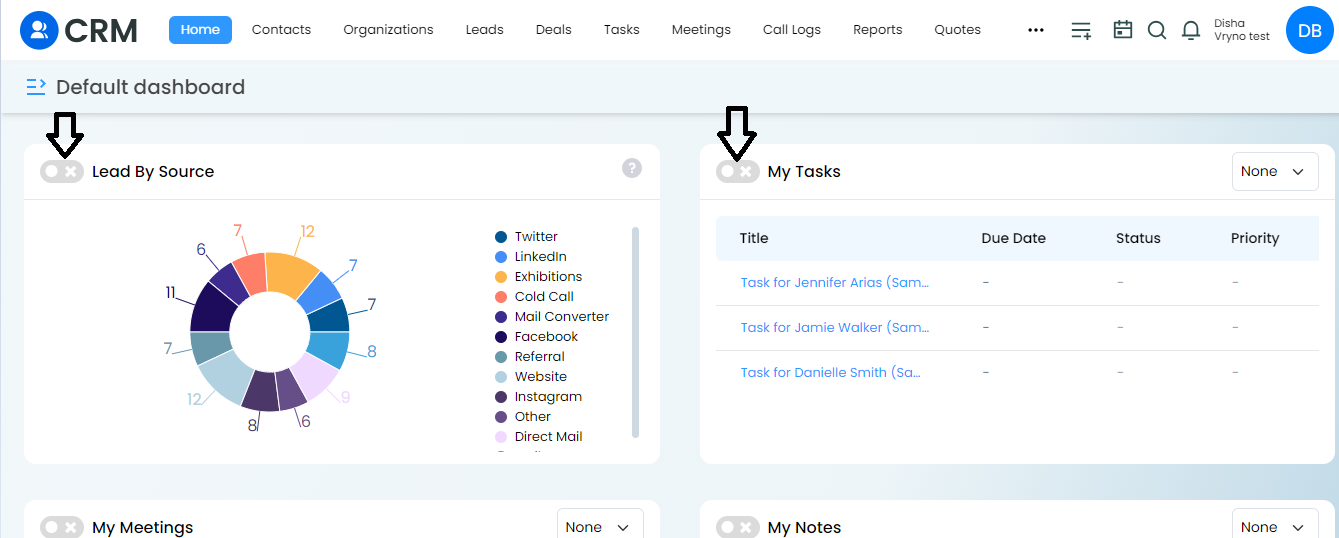
4.Toggle for Closer View: Click on the toggle beside the desired widget to expand and view it in greater detail.
5.Wider and Closer Look: Once toggled, the widget will expand, providing a wider and closer look at its content and details.
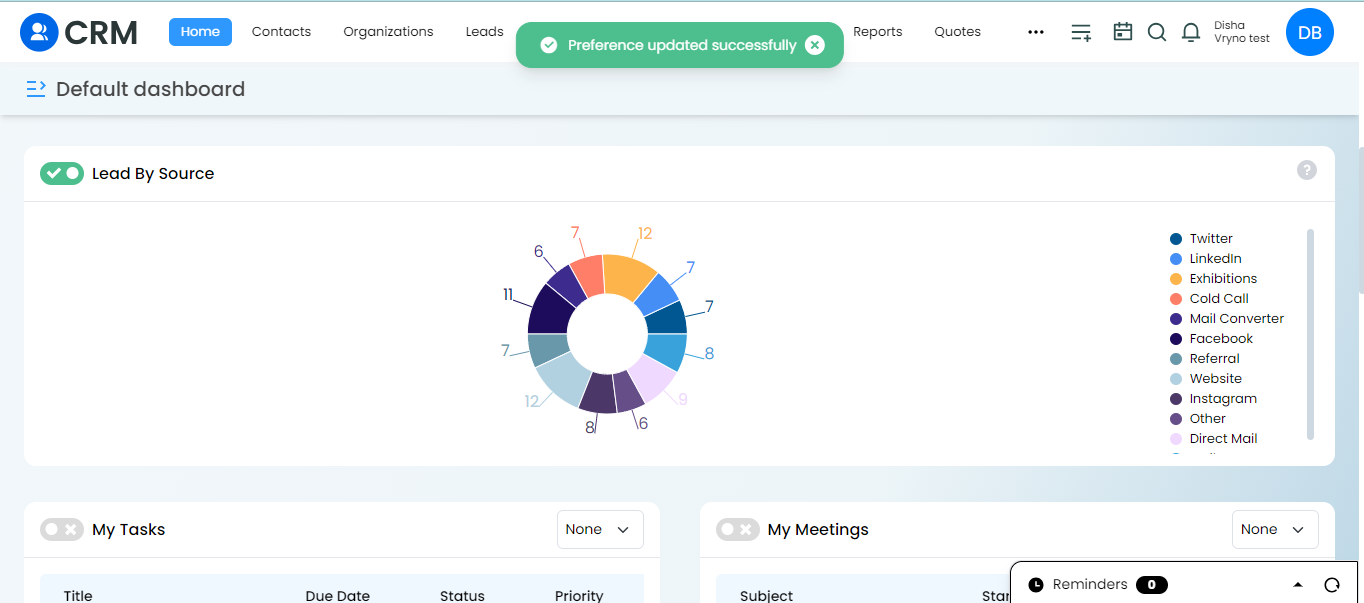
This is how this feature allows you to effortlessly tailor your dashboard, optimizing the layout for a more personalized and efficient Vryno CRM experience.